Watch Invoicing Software Built for Multi-Currency Wires
Create sequential, audit-proof luxury watch invoices in 10 currencies with real-time wire payment ledgers, partial deposit tracking, and automated client PDF generation. Eliminate manual receipt tampering and unrecorded bank transfers.
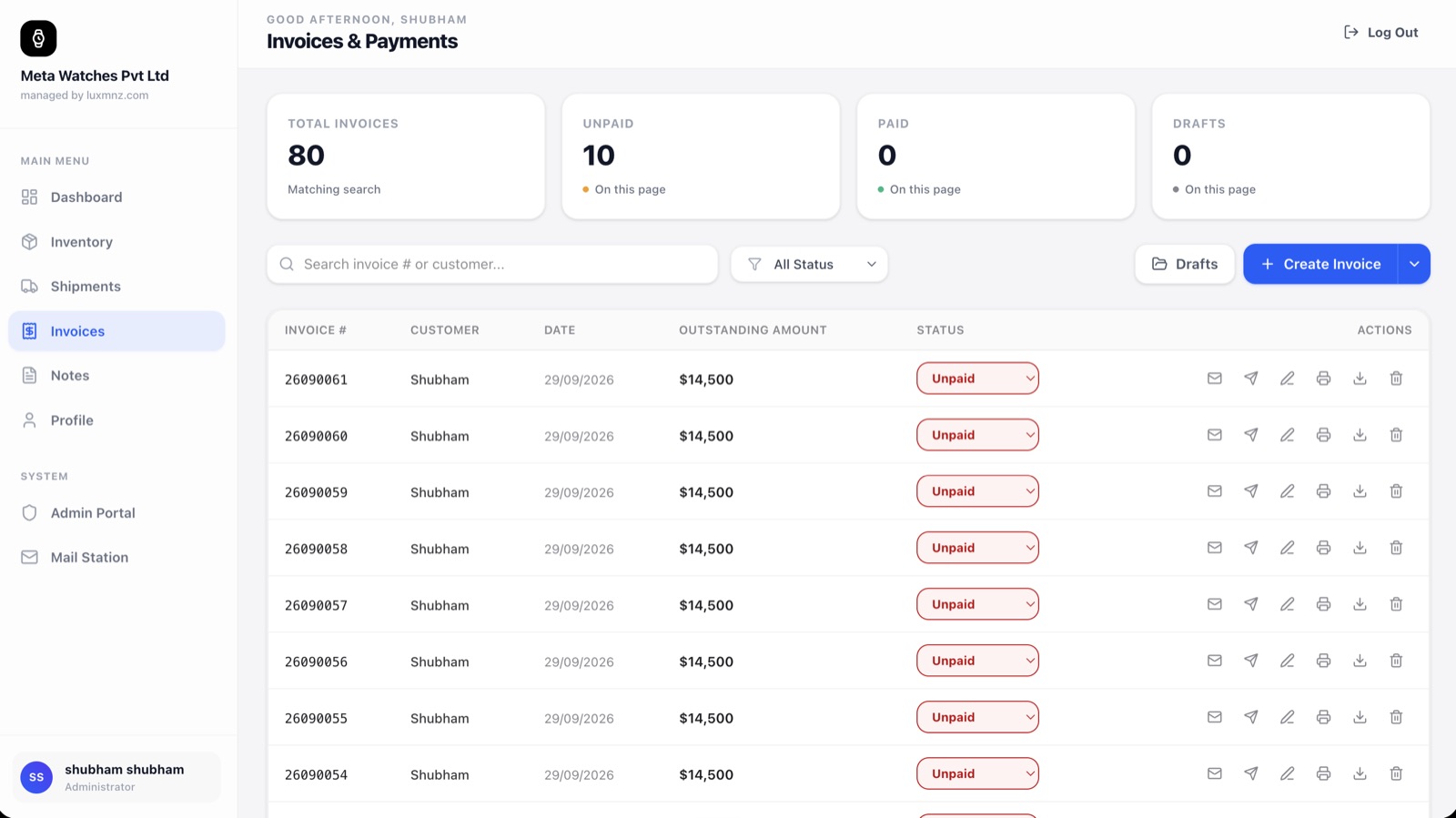
Core Operational Capabilities
10 Currency Settlement
Issue invoices in USD, EUR, GBP, CHF, SGD, HKD, INR, JPY, CAD, and AUD with automated wire instructions for each bank account.
Partial Deposit Ledgers
Record 10% or 20% wire holds, track split balance payments across multiple banking rails, and mark paid without manual calculations.
Automatic PDF Dispatch
Generate crisp, branded high-resolution PDF invoices that include serial numbers, dial reference, condition checklist, and bank IBAN/SWIFT.
1-Click From Inventory
Convert any available vault timepiece into an invoice with one click. Wholesale cost and profit margin stay strictly confidential.
Why generic spreadsheets break down at scale
Dealers managing invoices in Excel or generic accounting software constantly re-type serial numbers, miscalculate foreign exchange wires, fail to log partial deposits, and risk staff modifying past invoices after watches have left the boutique.
LUXMNZ binds the invoice directly to the watch serial number in the vault database. When an invoice is created, the timepiece is locked on hold; when fully settled, it automatically transitions to Sold, logging gross margin into your Monday financial report.
How it works in your boutique on a Tuesday
Select Vault Piece or Custom Line
Choose an active inventory watch from your vault or draft a bespoke line item. Case reference, serial, dial color, and scope automatically populate.
Choose Currency & Bank Account
Select from 10 currencies (USD, EUR, GBP, CHF, etc.). LUXMNZ prints the corresponding verified bank account, IBAN, and SWIFT instructions on the invoice.
Send Vector PDF or Direct Link
Email the invoice directly through Mail Station or export an encrypted vector PDF. Delivery status is logged with real-time audit verification.
Reconcile Wire & Unlock Shipment
Record partial deposits or complete settlement. As soon as the balance clears $0.00, LUXMNZ prompts creation of the insured shipping dispatch.
Technical Specifications & System Attributes
Everything you need to know
Can I record partial wire deposits for reserved watches?
Yes. LUXMNZ features a multi-entry payment ledger on every invoice. You can record an initial wire deposit (e.g. $5,000 hold on a $38,000 Patek Philippe), print an updated receipt showing the remaining balance of $33,000, and track multiple bank reference numbers until full settlement.
Are my wholesale acquisition costs visible on the invoice?
Never. Invoices are strictly client-facing documents. While the CRM internal ledger computes your gross margin and markup behind the scenes, the customer invoice displays only the agreed sale price, taxes (if applicable), and wire settlement balance.
What happens if a client wires payment in CHF or EUR instead of USD?
LUXMNZ allows you to assign specific bank settlement accounts to each invoice. If you have an account in Zurich for CHF wires and a London account for GBP, selecting that currency automatically prints the corresponding IBAN and BIC details without manual retyping.