Mail Station: send one message to every member of your organization.
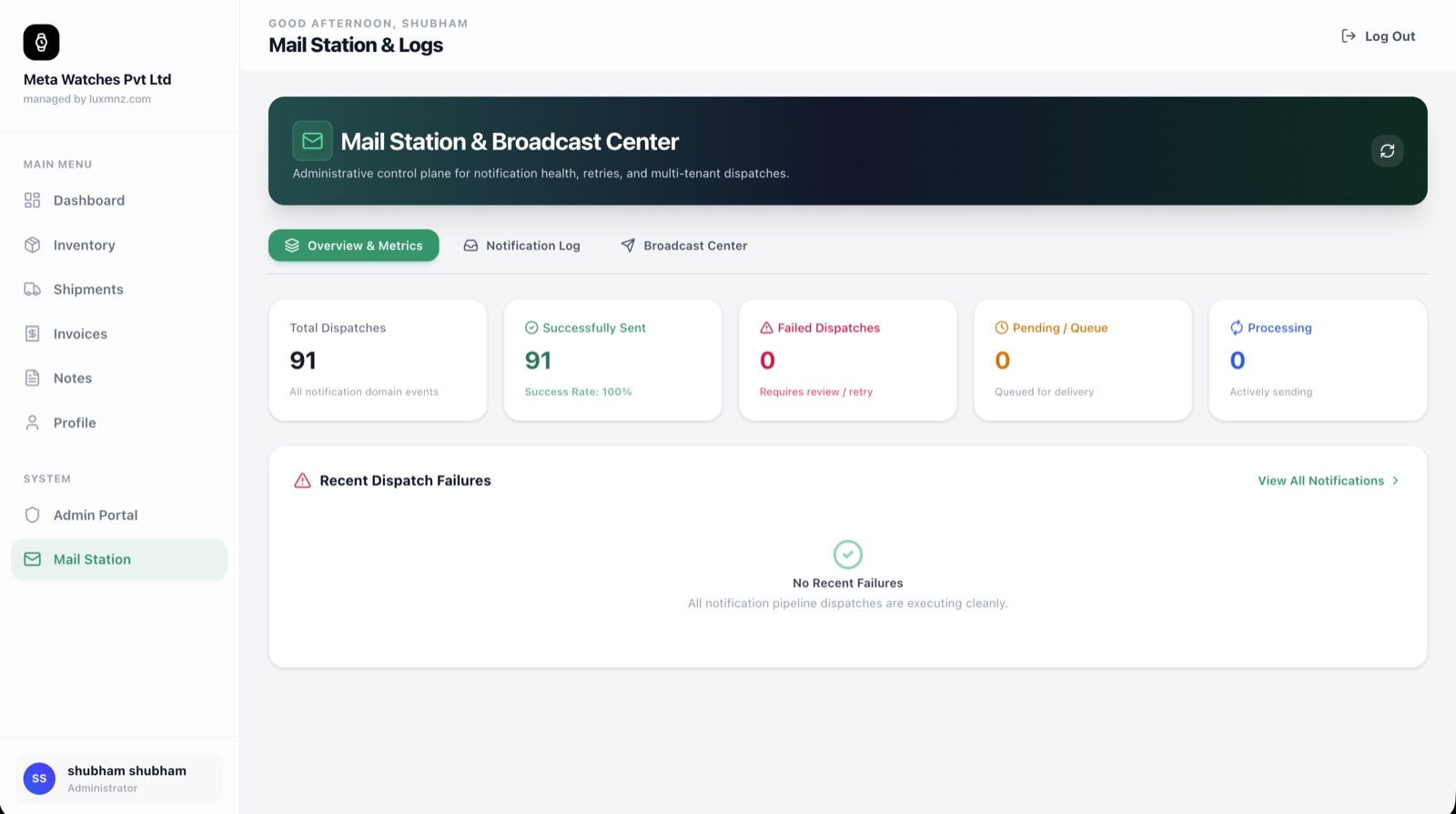
Mail Station: send one message to every member of your organization. Audit every transactional invoice and shipping update with real-time delivery receipts.
Core Operational Capabilities
Real-Time Delivery Status
Know the moment an invoice, wire reminder, or shipment tracking update is successfully delivered to the recipient’s mail server.
Internal Team Broadcasts
An organization admin can send one message to all team members inside their own organization with one click.
One-Click Resend
If an invoice or tracking notice bounces or is misplaced, resend it immediately with verified delivery logging.
Zero Email Server Configuration
LUXMNZ handles all DKIM, SPF, and DMARC email authentication out of the box with automated delivery logging.
Why generic spreadsheets break down at scale
When using regular email clients to dispatch invoices or coordinate with team members, dealers lack delivery confirmations, cannot audit dispatch logs, and misplace communications.
Mail Station provides an executive control tower. Transactional dispatches are logged with carrier-grade receipts, while admins can send one message to every member of their organization.
How it works in your boutique on a Tuesday
Select Organization Broadcast
Administrators can broadcast an internal announcement directly to all registered team members within their own organization.
Compose Team Message
Draft announcements, operational updates, or safe drawer protocols for your boutique staff.
Authenticated Delivery
Messages are dispatched via dedicated authenticated pools with real-time delivery receipt monitoring.
Audit Trail & Verification
Inspect exact dispatch timestamps and delivery confirmations for all organization notices.
Technical Specifications & System Attributes
Everything you need to know
Who can I send organization messages to?
An organization administrator can send one message to all the users (team members) inside their own organization. For example, an admin with 5 users sends one email that reaches all 5. It does not email outside contacts.
Can sales staff see when an invoice was emailed to a customer?
Yes. Mail Station displays the exact timestamp down to the second when an invoice or shipment tracking update was dispatched and delivered, providing proof of communication for payment disputes.
How are bounced emails and delivery failures handled?
Mail Station automatically monitors SMTP delivery codes. If an email fails, you receive an alert and can resend the dispatch notice with one click.
Can I resend invoices or tracking updates if a client requests them again?
Yes. From the Mail Station delivery log, click Resend on any entry to deliver an identical notification with updated delivery receipts.