Watch Dealer Sales Analytics & 90-Day Aging Alerts
Executive intelligence designed specifically for horology trading. Monitor daily and monthly sales revenue, realized gross margins, cash held across bank accounts, and automated 90-day aging alerts that prevent capital stagnation.
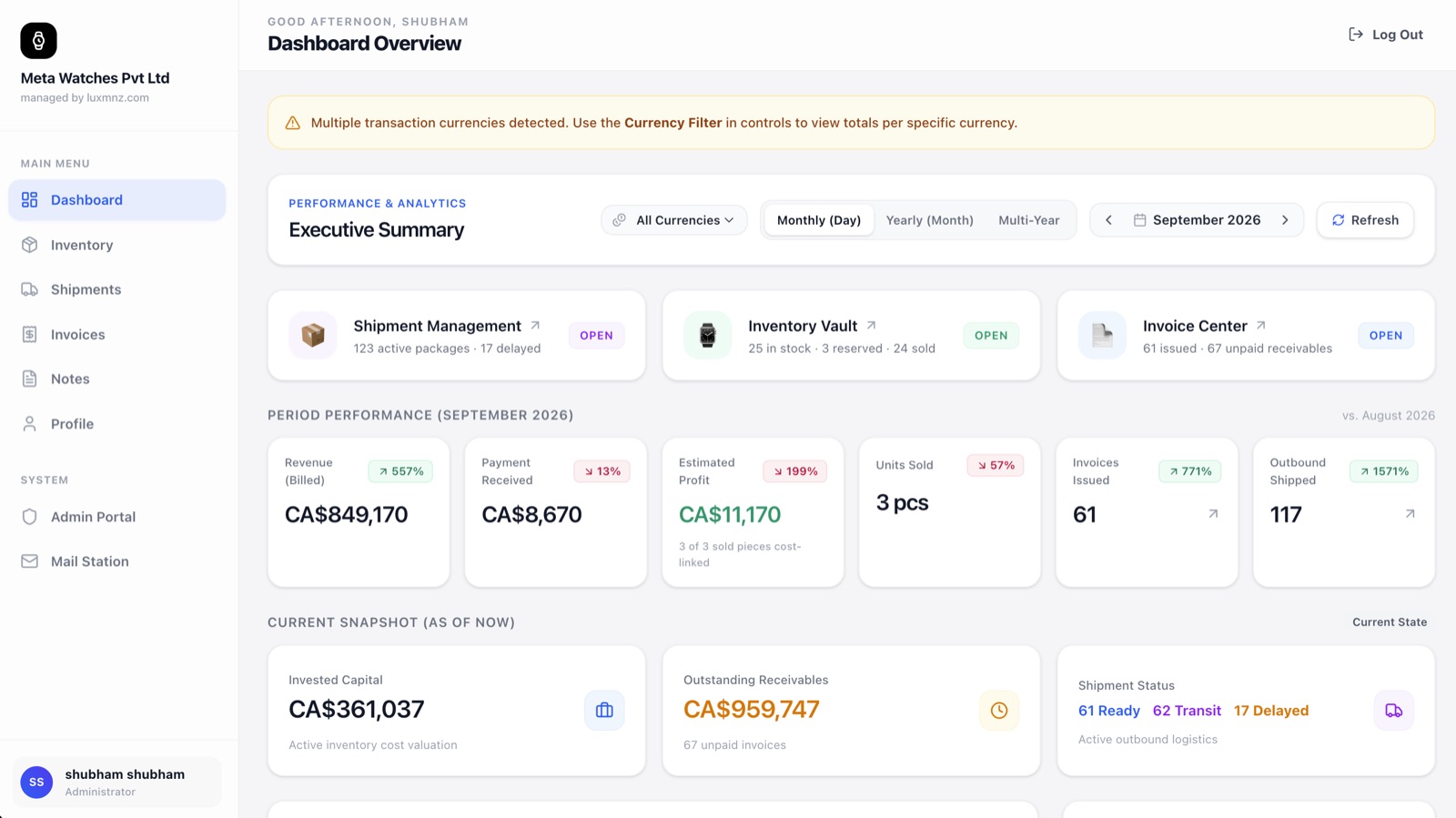
Core Operational Capabilities
True Gross Profit Margins
Calculates net earnings across every settled piece by subtracting exact acquisition costs and service expenses from final wire amounts.
90-Day Capital Aging Alerts
Identifies inventory sitting in your safe longer than 90 days so you can adjust prices or trade pieces before capital depreciates.
Multi-Bank Cash Tracking
View unified balances across your corporate wire accounts in USD, EUR, GBP, CHF, and INR without logging into separate banking portals.
Automated Monday Briefings
Every Monday morning at 08:00 UTC, the business owner receives an executive email summarizing weekly revenue, profit, and pending wires.
Why generic spreadsheets break down at scale
Dealers spend Sunday evenings cross-referencing bank statements, WhatsApp messages, and spreadsheets trying to figure out what they actually earned, often overlooking watches that have tied up $50k for six months.
LUXMNZ automates all financial mathematics. Every time an invoice is marked settled, gross margin, currency exchange gain, and inventory turnover update dynamically across the executive dashboard.
How it works in your boutique on a Tuesday
Automatic Transaction Logging
Every settled invoice and inventory purchase instantly updates revenue, cost of goods, and net margin.
Filter by Time Horizon
Switch between Day, Week, Month, Year, or All Time to view sales velocity and seasonality trends.
Review Aging Watch Alerts
Inspect timepieces exceeding 60, 90, or 120 days in stock. Review original acquisition costs and adjust list prices.
Receive Weekly Email Digest
Get an executive Monday report sent straight to your inbox highlighting profit, top brands sold, and outstanding wire balances.
Technical Specifications & System Attributes
Everything you need to know
How does LUXMNZ calculate gross profit margin?
Gross profit is calculated as the final settled sale price minus the watch acquisition cost and any recorded service or refurbishing expenses. The dashboard displays both total dollar profit and gross margin percentage.
Can sales staff see the executive sales figures and profit margins?
No. You can restrict dashboard financial metrics using the 9 role-based permissions in the Admin Portal. Sales staff can be limited to viewing inventory availability without seeing business revenues or profit margins.
What triggers the aging inventory alert?
Any watch that has been in your inventory for 90 days or longer without a settled sale is automatically highlighted in the aging inventory section of your dashboard, allowing you to prioritize outreach or re-price.