Role-Based Governance with 9 Granular Dealer Permissions
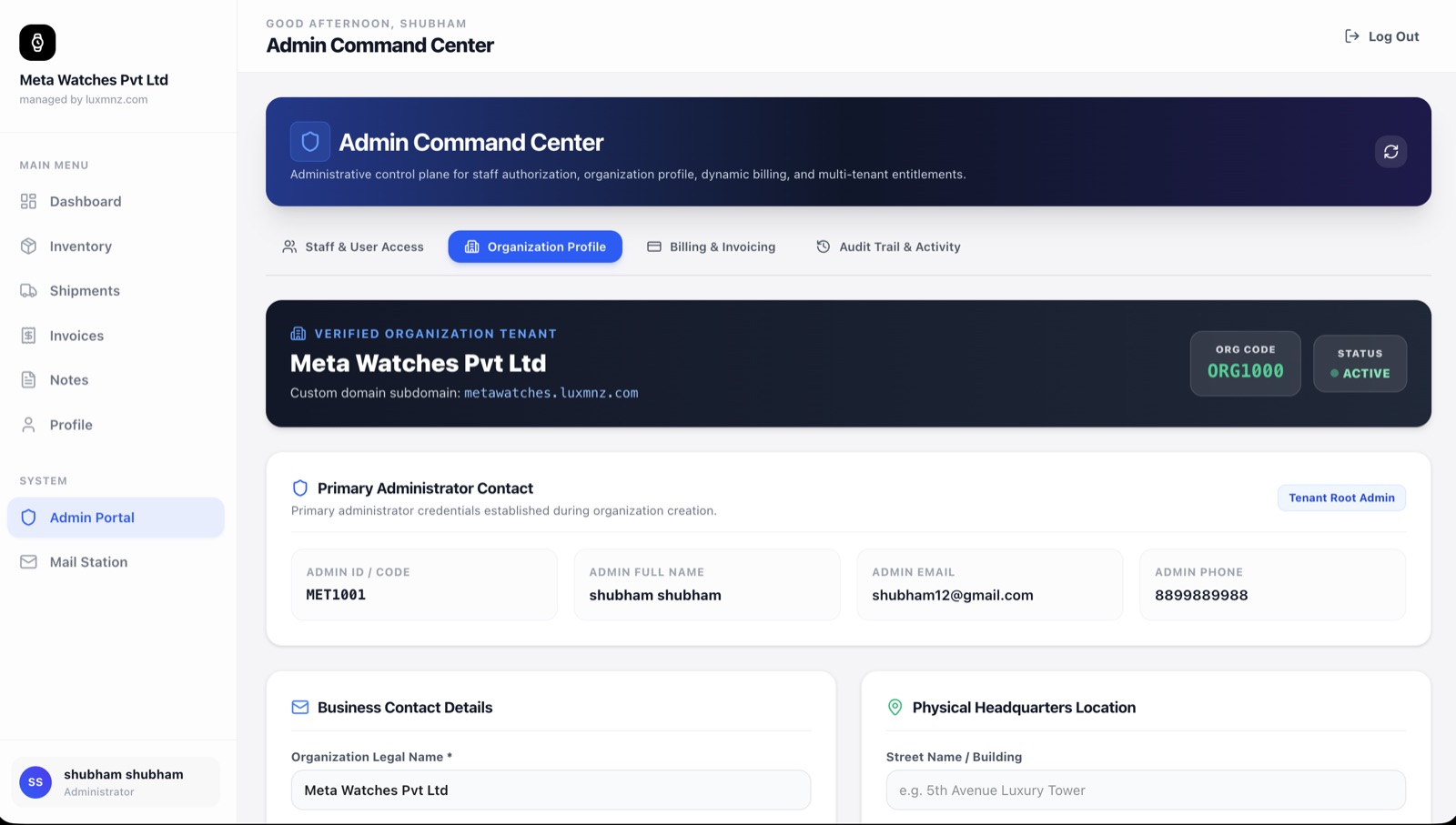
Run your boutique with absolute confidence. Invite sales representatives, inventory clerks, and accountants, while switching nine granular permissions on or off per person. Protect acquisition costs, bank details, and client lists.
Core Operational Capabilities
9 Granular Permissions
Control who can view cost prices, edit invoices, export client lists, access bank accounts, or delete records.
Instant Account Locking
If a sales rep leaves your dealership, lock their account with one click to revoke all access immediately.
Wholesale Cost Privacy
Sales staff can create invoices and show inventory to clients without ever knowing your wholesale margin or supplier.
Bank & Wire Protection
Restrict bank account settings so only authorized business owners can modify IBAN, SWIFT, and wire receiving details.
Why generic spreadsheets break down at scale
When using shared Excel files or open Google Sheets, any employee can copy your entire client phone list, see exactly what you paid your suppliers, or accidentally delete formulas.
LUXMNZ provides enterprise-grade role-based access control built specifically for luxury goods businesses. Sensitive margin and banking data remain strictly isolated.
How it works in your boutique on a Tuesday
Invite Staff Member
Send an email invitation from the Admin Portal to your salesperson, boutique manager, or accountant.
Configure 9 Permissions
Toggle access for Viewing Costs, Managing Invoices, Editing Inventory, Accessing Analytics, and Modifying Settings.
Audit Staff Activity
All invoice dispatches, price updates, and safe transfers record the responsible staff member’s account.
Instant Offboarding
Revoke active sessions with one toggle the moment an employee transitions out of the boutique.
Technical Specifications & System Attributes
Everything you need to know
Can I stop my sales team from seeing my supplier purchase prices?
Yes. By unchecking the "View Cost Prices" permission toggle, staff members can view available watches, specifications, and retail prices, but all acquisition costs and gross profit margins are completely hidden from their view.
What happens when I lock a former employee’s account?
Locking an account immediately terminates all active web sessions. The user cannot log in, access client records, view invoices, or open any part of your workspace.
Can accountants have view-only access to financial records?
Yes. You can grant access to invoicing, payment ledgers, and revenue reports while restricting permissions to edit inventory or alter bank account coordinates.