Multi-Currency Wire Payments in 10 Global Trading Currencies
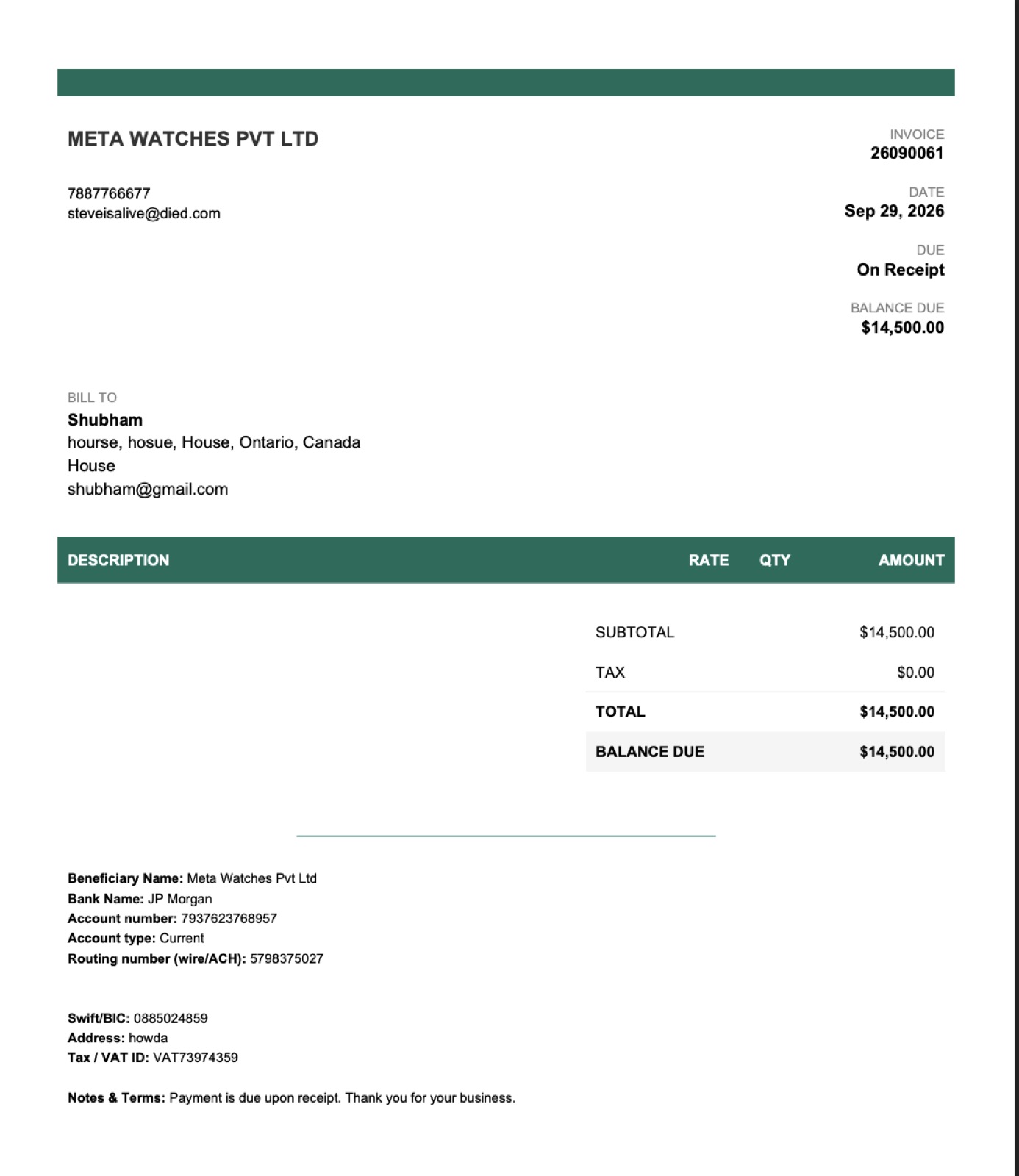
Trade internationally with complete currency precision. Issue invoices and collect bank wires across 10 global trading currencies with dedicated account numbers, IBANs, and SWIFT codes printed automatically.
Core Operational Capabilities
10 Trading Currencies
Eliminate foreign exchange disputes by invoicing clients in their native currency: USD, EUR, GBP, CHF, SGD, HKD, INR, JPY, CAD, or AUD.
Dedicated Banking Profiles
Save your Swiss CHF account, UK GBP account, and US USD wire routing once. The system prints the right bank details every time.
Eliminate FX Math Errors
Record incoming foreign wires accurately while LUXMNZ translates revenue into your domestic base currency for accounting.
Global Collector Confidence
International buyers transfer funds faster when receiving clean, localized banking coordinates with explicit SWIFT/BIC instructions.
Why generic spreadsheets break down at scale
Watch dealers selling abroad constantly struggle with copy-pasting wrong IBANs from WhatsApp, miscalculating conversion rates, and receiving wires in wrong currencies with heavy bank penalties.
LUXMNZ stores your verified banking profiles per currency. Selecting "CHF" automatically displays your Swiss bank details on the PDF invoice and email dispatch.
How it works in your boutique on a Tuesday
Save Bank Accounts in Settings
Input bank names, account numbers, IBANs, and SWIFT codes for each currency you operate in.
Select Currency on Invoice
When creating an invoice, choose from the 10 supported currencies.
Auto-Populate Bank Coordinates
The invoice automatically displays the corresponding bank routing coordinates.
Reconcile Wire & Record FX
Log the received wire amount with bank reference codes for transparent accounting.
Technical Specifications & System Attributes
Everything you need to know
Can I have multiple bank accounts for the same currency?
Yes. If you operate multiple accounts (e.g. JPMorgan Chase for domestic USD wires and HSBC for international wires), you can select the desired bank profile when drafting the invoice.
How are foreign currency sales reflected in my Monday report?
Your Monday sales briefing displays transactions converted to your primary base currency (e.g. USD or EUR), giving you a clear picture of total consolidated earnings.
Does LUXMNZ take a percentage of wire transactions?
No. LUXMNZ is pure software. All wire payments flow directly from your client’s bank into your own merchant bank accounts with 0% transaction fees from us.