Boutique Team Notes for Watch Wishlists & Trade-In Offers
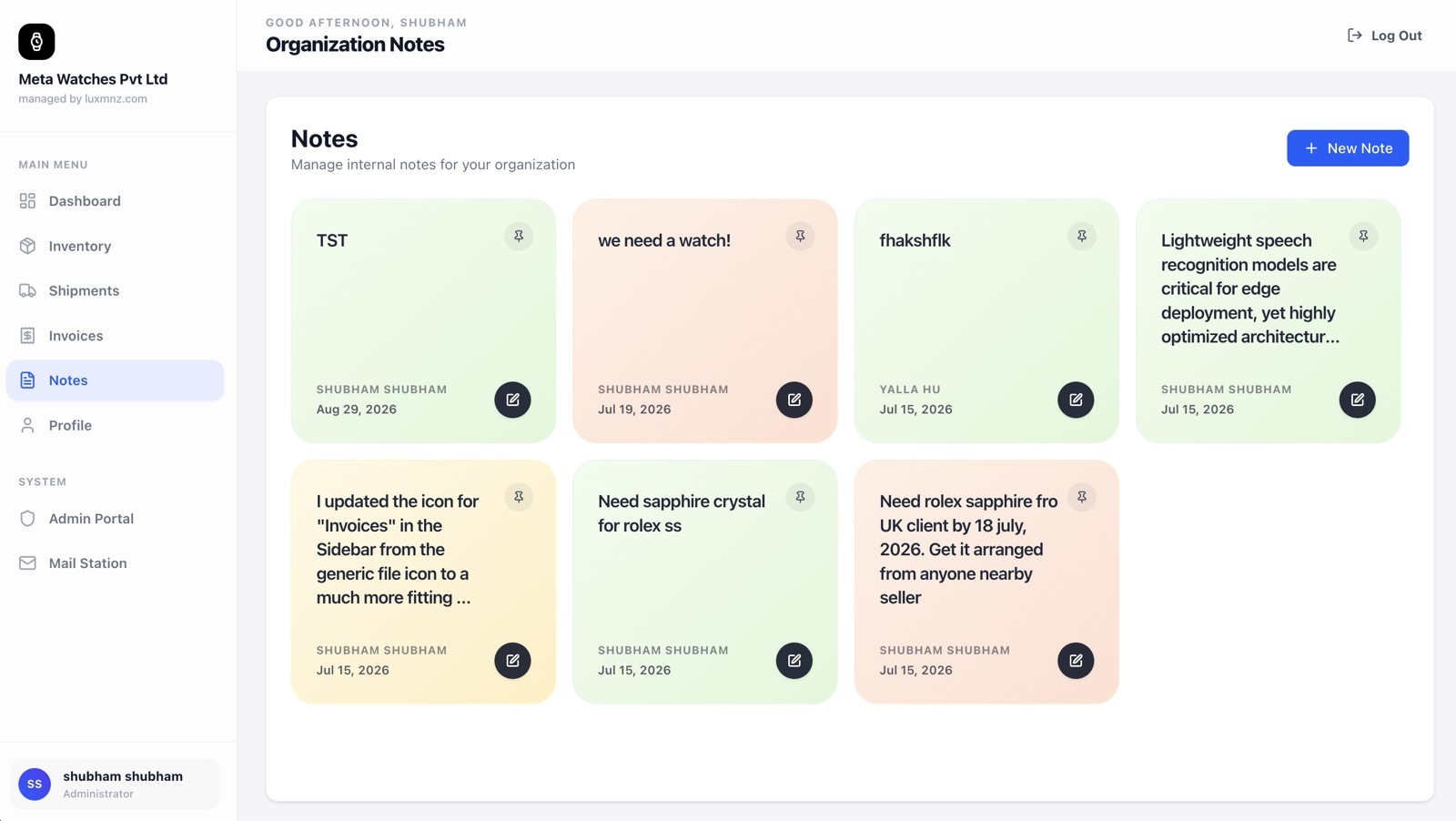
Keep your entire dealership aligned. Log VIP client wishlists, pending trade-in offers, consignment valuations, and safe movements with Normal, Medium, and Urgent priority flags.
Core Operational Capabilities
Priority Flagging
Assign Normal, Medium, or Urgent status to time-sensitive trades, client counter-offers, or watch show requests.
Client Wishlists
Log when a collector is searching for a 116500LN Panda or 5711. Match incoming inventory against active wishlists instantly.
Trade-In Valuations
Record proposed buy-in figures, watch condition notes, and partner counter-offers before closing a trade deal.
Searchable Team Knowledge
Never lose a note scribbled on a desk pad. Search historical notes by brand, client phone number, or model reference.
Why generic spreadsheets break down at scale
Important client requests get buried in personal WhatsApp chats, written on post-it notes, or lost when sales staff are off duty, causing lost five-figure watch sales.
LUXMNZ Centralizes internal communication into an organized, shared workspace where every rep sees open trade-ins, VIP wishlists, and boutique tasks.
How it works in your boutique on a Tuesday
Capture Collector Wishlist or Trade
Create a note when a client requests a specific model or presents a watch for trade-in.
Set Priority & Assignment
Tag priority as Normal, Medium, or Urgent so managers can review trade-in margins quickly.
Match Incoming Inventory
When new intake arrives in the vault, search notes to find collectors with pending purchase intent.
Archive or Convert to Sale
Once the deal is done, mark the note resolved or launch directly into an invoice.
Technical Specifications & System Attributes
Everything you need to know
Can sales staff edit each other’s notes?
Notes clearly attribute the original author and timestamp. Team members can view open notes and collaborate on client requests.
How do I know if an incoming watch matches a client wishlist?
You can search your Notes feed by brand, model, or reference number at any time to see which collectors are waiting for that exact timepiece.
Can notes be linked to specific inventory pieces?
Yes. Notes can reference specific serial numbers, client records, or general trading objectives.